
Internet in China: eSIM & VPN Guide
Everything you need to stay connected, access your apps, and navigate the Great Firewall — without the stress.
Just Tell Me What to Buy
Short Trip (1–7 Days)
Trip.com eSIM or Airalo — cheapest, reliable, no VPN needed on mobile data. Activate before departure.
Long Trip (8–30 Days)
MobiMatter for best $/GB, or Holafly if you want unlimited and don't want to think about data limits.
Need a Chinese Phone Number
Get a physical SIM at the airport + keep your eSIM for unrestricted internet. You'll need both.
The Experienced Traveler Combo
eSIM for mobile data (no VPN needed) + ExpressVPN installed before departure for hotel & café WiFi.
The Great Firewall: What It Is & Why It Matters
Planning a trip to China? Whether you're heading there for tourism, business, or a long-term stay, there's one thing every traveler quickly discovers: the internet works very differently here. Google, YouTube, Instagram, WhatsApp, Netflix — all blocked. This guide cuts through the confusion and tells you exactly what to do.
China operates one of the world's most sophisticated internet censorship systems, officially known as the Golden Shield Project — universally referred to as the Great Firewall. It blocks IP addresses and DNS servers, filters URLs, and performs deep packet inspection on data traffic.
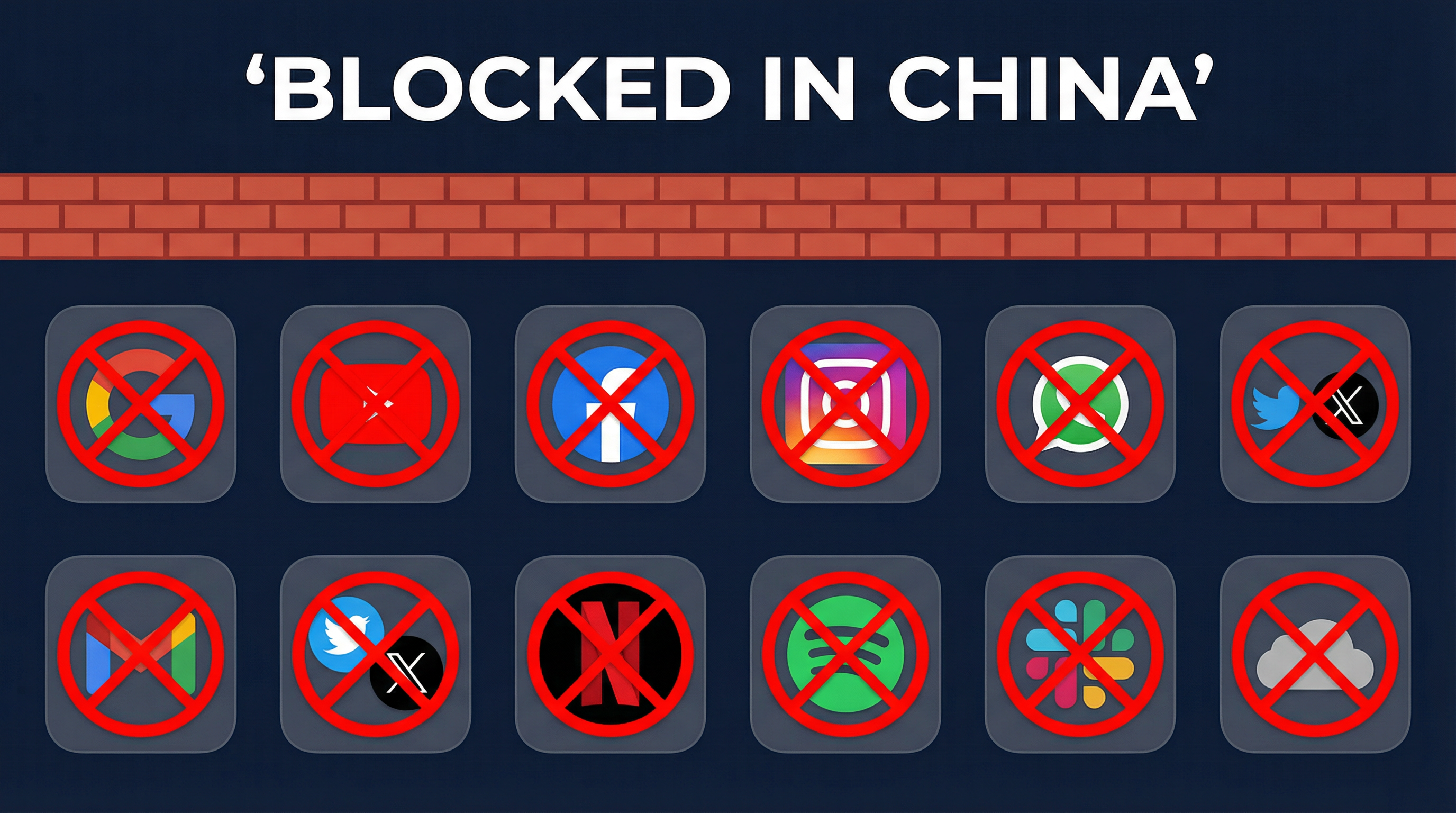
The most commonly used apps and services blocked behind the Great Firewall of China.
What Exactly Gets Blocked?
| Category | Blocked Services | Chinese Alternative |
|---|---|---|
| Search | Google, Bing (partially) | Baidu |
| Social Media | Facebook, Instagram, X (Twitter) | WeChat, Weibo |
| Messaging | WhatsApp, Messenger, Telegram | |
| Video | YouTube, Netflix, Twitch | Youku, iQiyi |
| Music | Spotify, Apple Music | NetEase Music, QQ Music |
| Productivity | Google Drive, Docs, Gmail, Slack, Trello, ChatGPT | Baidu Drive, DingTalk, Ernie Bot |
| Maps | Google Maps (limited) | Baidu Maps, Amap |
| News | BBC, NYT, Reuters (intermittent) | CGTN, Xinhua |
Search
Blocked: Google, Bing (partially)
Alternative: Baidu
Social Media
Blocked: Facebook, Instagram, X (Twitter)
Alternative: WeChat, Weibo
Messaging
Blocked: WhatsApp, Messenger, Telegram
Alternative: WeChat
Video
Blocked: YouTube, Netflix, Twitch
Alternative: Youku, iQiyi
Music
Blocked: Spotify, Apple Music
Alternative: NetEase Music, QQ Music
Productivity
Blocked: Google Drive, Docs, Gmail, Slack, Trello, ChatGPT
Alternative: Baidu Drive, DingTalk, Ernie Bot
Maps
Blocked: Google Maps (limited)
Alternative: Baidu Maps, Amap
News
Blocked: BBC, NYT, Reuters (intermittent)
Alternative: CGTN, Xinhua
Important for Travelers
The Great Firewall affects everyone visiting China. You won't be able to access social media, email, messaging apps, or streaming services. This means you could be completely unreachable, and unable to access travel documents stored online. Plan ahead.
Your Connectivity Options in China
Despite the restrictions, there are several ways to stay connected. Each comes with trade-offs in cost, convenience, and access to blocked content.
| Option | Pros | Cons | Verdict |
|---|---|---|---|
| Roaming (Home Carrier) | Zero setup required | Extremely expensive ($10+/day); still behind the firewall | Avoid |
| Travel eSIM | Instant delivery; no physical swap; keeps home number active; many bypass firewall | Phone must be unlocked and eSIM-compatible | Best Choice |
| Physical SIM (Local) | Get a local Chinese number; affordable plans | Queue at airport; passport scan; behind the firewall; VPN still needed | Hassle |
| Pocket Wi-Fi Router | Connects 5+ devices; large data volumes; great for groups | Another device to charge; limited pickup locations; bulky | For Groups |
| Public Wi-Fi | Free and widely available | Insecure; monitored; requires VPN; unreliable | Risky |
Roaming (Home Carrier)
Avoid+ Zero setup required
− Extremely expensive ($10+/day); still behind the firewall
Travel eSIM
Best Choice+ Instant delivery; no physical swap; keeps home number active; many bypass firewall
− Phone must be unlocked and eSIM-compatible
Physical SIM (Local)
Hassle+ Get a local Chinese number; affordable plans
− Queue at airport; passport scan; behind the firewall; VPN still needed
Pocket Wi-Fi Router
For Groups+ Connects 5+ devices; large data volumes; great for groups
− Another device to charge; limited pickup locations; bulky
Public Wi-Fi
Risky+ Free and widely available
− Insecure; monitored; requires VPN; unreliable
Travel eSIM: The Recommended Solution
A travel eSIM is an embedded digital SIM card that you activate on your smartphone without needing any physical hardware. The best China-specific eSIMs route your traffic through international networks, effectively bypassing the Great Firewall without requiring a separate VPN.
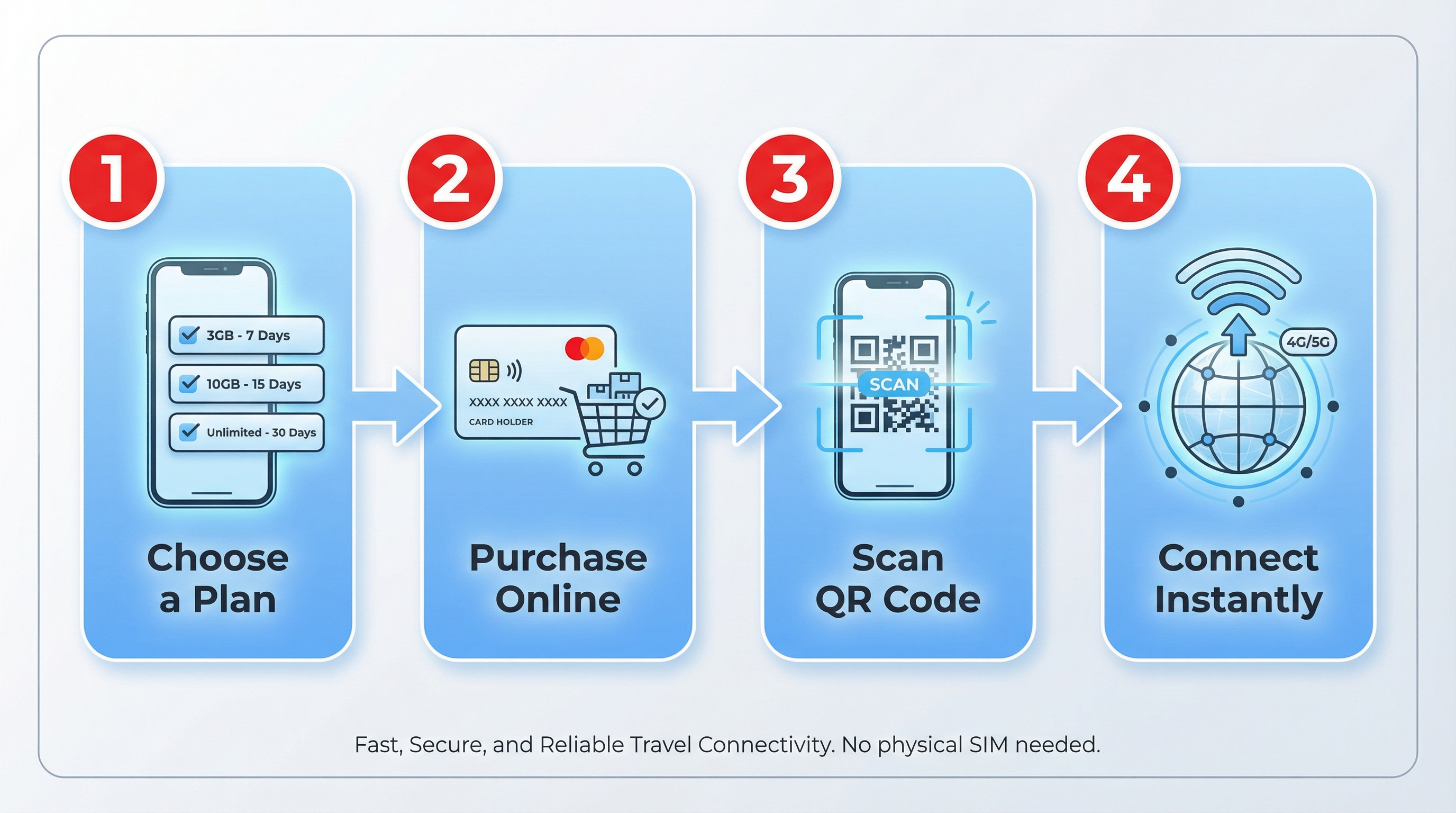
Setting up a travel eSIM takes less than 5 minutes — no airport queues, no passport scans.
Why eSIM Beats Every Other Option
Advantages
- ✓No VPN needed on mobile data — many plans bypass the firewall automatically
- ✓Activate before you leave home
- ✓Keep your regular phone number active simultaneously
- ✓Instant top-up possible even while in China (provider-dependent)
- ✓4G/5G speeds on major carrier networks
- ✓No physical SIM swap or airport queuing
- ✓More secure than public Wi-Fi
Limitations
- ✗Phone must be unlocked and eSIM-compatible
- ✗Some older or budget devices don't support eSIM
- ✗Some providers route traffic through Chinese servers (privacy concern)
- ✗Cannot receive SMS — affects Alipay/WeChat Pay setup
- ✗VPN still needed when on hotel or café WiFi
Pro Tip
Install your eSIM before you arrive in China. Once you're behind the firewall, accessing provider apps or websites to activate your plan can be difficult or impossible.
eSIM + Alipay Conflict
eSIMs can't receive Chinese SMS codes. If Alipay asks for SMS verification, it won't arrive on your eSIM number. Fix: Complete Alipay setup at home on WiFi before your trip, using your home phone number.
Top eSIM Providers for China (2026)
Airalo
Trusted by 20M+ travelers
The world's first and largest eSIM marketplace. Known for its user-friendly app and reliable China Unicom connectivity. Best for first-time eSIM users.
Trip.com eSIM
The one-stop solution
Seamlessly integrated with flight and hotel bookings. Widely praised for working flawlessly in China with no VPN needed.
Nomad
For the tech-savvy traveler
Sleek modern app with premium network routing. $10 for 10GB is excellent value.
Holafly
Unlimited data + VPN included
Offers unlimited data plans with built-in VPN. Works across Asia including Hong Kong. Around €45 for 15 days.
MobiMatter
Best value for data
Best $/GB ratio on the market. 50GB for ~$30 makes it ideal for trips over 2 weeks.
Maya Mobile
For heavy data users
Flexible unlimited data plans for complete peace of mind. Ideal if you plan to stream videos or work remotely.
Privacy Note
Some travel eSIM providers route traffic through Chinese-owned servers. If privacy is a priority, research your provider's network routing before purchasing, and consider pairing your eSIM with a trusted VPN on hotel Wi-Fi.
Need help choosing an eSIM?
Your AI Local Friend recommends the best option based on your trip length, phone model, and budget.
VPNs in China: What You Need to Know
A Virtual Private Network (VPN) encrypts your internet traffic and routes it through a server outside China, bypassing the Great Firewall. It's the traditional method — but comes with important caveats in 2026.
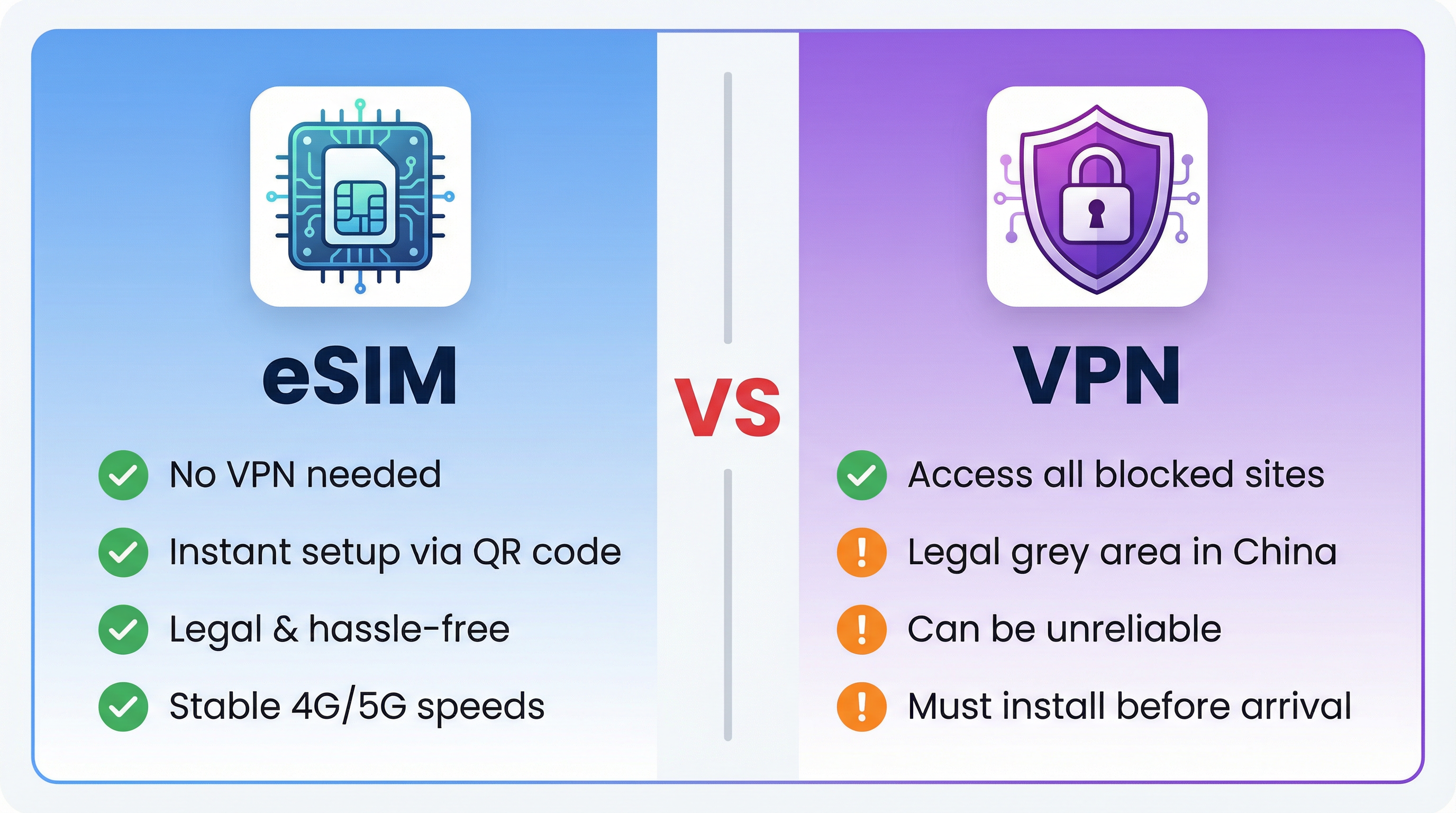
A clear side-by-side comparison of eSIM and VPN approaches for internet access in China.
The Legal Reality
China officially allows only government-approved VPN services for corporate use. Most commercial VPNs are technically banned. However, no widely-documented cases of tourists being fined exist — but stay discreet and use a reputable provider.
Critical: Install Before You Arrive
VPN provider websites are blocked in China. You cannot download or purchase a VPN once inside the country. Install, sign in, and test your VPN before boarding. Also download manual configuration files (OpenVPN/IKEv2) as a backup.
Which VPNs Work Best in China?
| VPN Provider | China Reliability | Obfuscation | Price |
|---|---|---|---|
| ExpressVPN | Excellent | ✅ Lightway protocol | ~$8/mo |
| Astrill VPN | Excellent | ✅ StealthVPN mode | ~$10/mo |
| NordVPN | Good | ✅ Obfuscated servers | ~$4/mo |
| Surfshark | Good | ✅ Camouflage mode | ~$2.50/mo |
| Free VPNs | Avoid | ❌ None | Free |
ExpressVPN
Excellent✅ Lightway protocol
~$8/mo
Astrill VPN
Excellent✅ StealthVPN mode
~$10/mo
NordVPN
Good✅ Obfuscated servers
~$4/mo
Surfshark
Good✅ Camouflage mode
~$2.50/mo
Free VPNs
Avoid❌ No obfuscation
Free
VPN Pros
- ✓Access to all blocked websites and apps
- ✓Works on any device (laptop, tablet, phone)
- ✓Encrypts your traffic on public Wi-Fi
- ✓Can be used alongside any SIM or eSIM
VPN Cons
- ✗Must be installed AND tested before entering China
- ✗Legal grey area — technically banned
- ✗Hotel WiFi increasingly blocks standard VPN protocols
- ✗Slower speeds due to encryption overhead
- ✗Free VPNs are almost always blocked
Hotel WiFi Trap
Your eSIM bypasses the firewall on mobile data — but the moment you switch to hotel WiFi, you're back behind it. Many hotel networks now actively block VPN protocols. Fix: Switch your VPN to OpenVPN TCP on port 443, or hotspot from your eSIM mobile data to your laptop.
When Things Go Wrong
Even with the best preparation, things can go sideways. Here's how to fix the most common problems.
| Problem | Fix |
|---|---|
| eSIM shows "No Service" after landing | Toggle airplane mode on/off. Go to Settings → Cellular → eSIM line → make sure Data Roaming is ON. Restart phone. |
| eSIM works but speeds are extremely slow | Switch from auto network to manual and select China Unicom or China Mobile specifically. Disable 5G and force 4G LTE. |
| VPN won't connect on hotel WiFi | Switch to OpenVPN TCP port 443. Enable obfuscated/stealth mode. If still failing, hotspot from your eSIM mobile data. |
| Can't download/update apps from App Store | Toggle VPN off, download, toggle back on. Or: switch to eSIM mobile data temporarily. |
| Alipay/WeChat asking for SMS I can't receive | Use home number (international SMS). If that fails, connect to WiFi — some verification flows send codes to email instead. |
| eSIM data ran out, can't access provider website | Trip.com eSIM can be topped up in-app (not blocked). For others: use VPN on hotel WiFi to access the provider website. |
| Phone won't make emergency calls | eSIMs are data-only — no voice. For emergencies, use local WiFi + WeChat voice call, or ask a local to call 110/120. |
eSIM shows "No Service" after landing
Toggle airplane mode on/off. Go to Settings → Cellular → eSIM line → make sure Data Roaming is ON. Restart phone.
eSIM works but speeds are extremely slow
Switch from auto network to manual and select China Unicom or China Mobile specifically. Disable 5G and force 4G LTE.
VPN won't connect on hotel WiFi
Switch to OpenVPN TCP port 443. Enable obfuscated/stealth mode. If still failing, hotspot from your eSIM mobile data.
Can't download/update apps from App Store
Toggle VPN off, download, toggle back on. Or: switch to eSIM mobile data temporarily.
Alipay/WeChat asking for SMS I can't receive
Use home number (international SMS). If that fails, connect to WiFi — some verification flows send codes to email instead.
eSIM data ran out, can't access provider website
Trip.com eSIM can be topped up in-app (not blocked). For others: use VPN on hotel WiFi to access the provider website.
Phone won't make emergency calls
eSIMs are data-only — no voice. For emergencies, use local WiFi + WeChat voice call, or ask a local to call 110/120.
Internet not working in China?
Describe your issue and your AI Local Friend will troubleshoot it in real time.
Real Traveler Experiences
What actual travelers from Reddit's r/travelchina community had to say:
u/chang3rd
“+1 vote for the Trip.com eSIM. Works flawlessly and you can renew/extend the eSIM even when in China. No need for additional VPN if accessing apps with the eSIM.”
u/nomad_traveler
“I used Nomad on my trip last week. Paid $10 USD for 10GB. I was able to use Facebook, Instagram, Netflix without a problem. Connection was good even in the mountains.”
u/spystarfr
“Best is from Trip app. You don't even need a VPN + it's cheap.”
u/airalo_user
“Using Airalo right now. Subscribed to 10-day unlimited pack. While going out, Airalo is more than enough. Once I'm back at the hotel I use LetsVPN on the hotel Wi-Fi.”
u/holafly_fan
“I used Holafly — unlimited GB across all Asia as I went to Hong Kong as well. It had the VPN included and I didn't have any issues. Around €45 for 15 days.”
u/kunming_traveler
“Using a Trip.com eSIM as I type. Got the China/HK/Macao 100GB/day pkg. Install was super easy on my Pixel 8. No additional VPN needed.”
The Verdict: What Should You Actually Do?
Here's our clear recommendation based on all the evidence:
Travel eSIM (Roaming)
Get a China-specific eSIM from Trip.com, Airalo, or Nomad. No VPN needed on mobile data, instant setup, legal, and reliable.
eSIM + VPN on Hotel Wi-Fi
Use your eSIM for mobile data (no VPN needed) and keep ExpressVPN or Astrill for when you connect to hotel or café Wi-Fi.
Pocket Wi-Fi Router
If traveling with family or a team of 3+, a pocket Wi-Fi router can be more economical. Pair with a VPN.
Carrier Roaming / Local SIM
International roaming is prohibitively expensive. Local Chinese SIMs are behind the firewall and require VPN.
Pre-Departure Checklist
Before you fly to China, make sure you've ticked every box:
Bottom Line
The best setup for most travelers in 2026 is a roaming eSIM from Trip.com or Airalo for your mobile data (no VPN needed), combined with a premium VPN like ExpressVPN or NordVPN installed before departure for hotel Wi-Fi. Set up Alipay at home. This combination is legal, reliable, fast, and covers all your bases. Need help? Your AI Local Friend can walk you through each step.
Ready to set up payments?
Your AI Local Friend walks you through every step — from downloading the apps to making your first payment — personalized to your phone, cards, and travel dates.
Ask Your AI Local FriendFree. No sign-up. Works on any device.